Export housekeeping data from Oracle Opera Cloud
The three XML reports, what each one carries, and what Opera does not export.
6:23
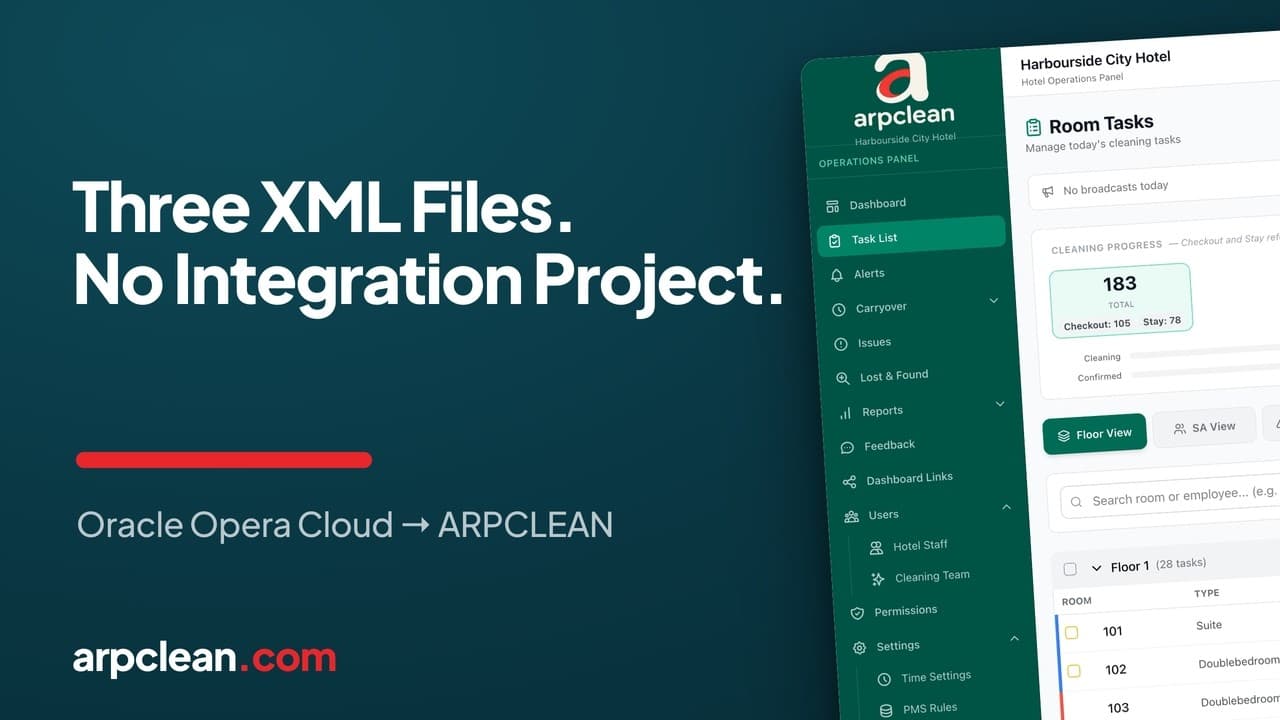
What you will see
- The three XML reports Opera Cloud produces and what each one carries
- Why employee data never leaves Opera Cloud
- Emailing the report versus uploading it by hand
- When the trial clock starts
Oracle Opera Cloud XML export for housekeeping
Three reports out of Oracle Opera Cloud are enough to run a hotel's housekeeping in ARPCLEAN. Two of them describe the building and run once. The third is the day's work, and it runs every morning.
You already know how to produce all three. There is no integration project behind them, no implementation call, and no CSV to clean up afterwards. The export behaves the same way it behaves in Opera Cloud today.
The three XML reports
Run these in Opera Cloud and leave the file names alone. ARPCLEAN reads the name to work out which report it has just received.
cf_roomtypes.XMLlists every room type the hotel sells. It arrives first, and the Service Plans your team cleans against are built on it.cf_rooms.XMLis the physical room list: numbers, floors, and the room type each room belongs to. Together withcf_roomtypes.XMLit gives ARPCLEAN the shape of the building.task_sheet_report.XMLis the day itself. Check-ins, check-outs, stayovers, and in-room requests such as an extra bed or a minibar restock.
The first two run once, when the hotel is set up. task_sheet_report.XML
runs daily. That one file is what replaces printing the task sheet, sorting
it by floor, and typing it up again on the other side.
What the Opera Cloud task sheet is, and how to export it
In Opera Cloud a task sheet is a room attendant's list for the day: the rooms, any special instructions, and the reservation details behind each room. Oracle files task sheets under Inventory, then Room Management, then Task Sheets. The exact path shifts a little between Opera Cloud versions. Auto Generate Task Sheets builds the day's sheets from your rules, and Manage Task Sheets is where you open, change or print them.
ARPCLEAN reads the task sheet report saved as XML, under the name
task_sheet_report.XML. Opera Cloud reports offer XML as an output format
next to PDF, and a report can go to an email address instead of a printer.
With the Report Scheduler switched on in Opera Cloud, Schedule Report
repeats that delivery at a fixed interval. Set it up once with the hotel's
@arpclean.com address, and the task sheet lands each morning before the
first attendant starts.
From each room on the report, ARPCLEAN takes the room number, room type and floor, the housekeeping status (clean or dirty), the front office status (occupied or vacant), the reservation status such as stayover or due out, the arrival and departure dates, the expected departure time, and a late checkout noted in the room information. That is enough to decide which cleaning each room needs today. The same file also carries guest details, just like the printed sheet does. What ARPCLEAN does with that data is set out on its own page.
Email the report, or upload it yourself
Every hotel gets its own @arpclean.com address, shown on the activation
screen the moment you create the hotel. Send any of the three reports there
and it imports on its own, in whatever order the files happen to arrive.
You can also upload the same file by hand from inside ARPCLEAN, and you can
decide per file. A common split is to upload cf_roomtypes.XML and
cf_rooms.XML once during setup, then let Opera Cloud email
task_sheet_report.XML every morning without anyone touching it again.
If Opera Cloud sends the report again later in the day, rooms already on the day's list are updated rather than added a second time. A report dated for an earlier day is refused, so yesterday's file cannot overwrite today.
Task assignment in Opera Cloud versus on the phone
Opera Cloud does its own task assignment. Auto Generate Task Sheets splits the rooms across a number of attendants, caps each sheet at a maximum number of credits, and can break the sheets by floor, section or building. Rooms that do not fit go onto a separate sheet that someone assigns by hand. The result is printed and handed out, and when an attendant calls in sick, someone moves rooms from one sheet to another.
ARPCLEAN takes the rooms from every task sheet in the report and puts them into one list for the day. Which attendant Opera placed on which sheet is not carried over. The assignment happens on the team leader's phone instead: confirm who came in, then give rooms to a person or a pair by single room, by row or by whole floor, while a count beside each name shows how many rooms that person already holds. The rooms appear on each attendant's phone as soon as they are assigned.
So the hotel can keep generating task sheets exactly as it does today, or produce a single sheet for the whole house. Both arrive as the same room list. For a 209-room hotel the morning distribution takes minutes, and the guide to assigning rooms to cleaners walks through it screen by screen.
Opera Cloud has no employee export
There is no staff export among the three reports, and there does not need to be one. Your cleaners, team leaders and inspectors work for your cleaning company, not for the hotel's PMS, so their details never have to leave Opera Cloud in the first place.
Two invitations bring them in instead. Invite your Team Leader, and they
invite their own crew. Invite your Housekeeping Manager, and that is the
person who keeps task_sheet_report.XML arriving each day. Nothing about
how you staff a hotel depends on what its PMS is willing to hand over.
Housekeeping credits versus real room times
Opera Cloud uses housekeeping credits to divide the day's effort between attendants. Depending on the hotel's settings, a room's credits come from the room itself, from the task schedule, or from the room's credits weighted by the task. Advanced credit rules can add travel between rooms and special requests on top. Credits are a planning estimate: they balance a printed sheet, but nobody measures them against the clock afterwards.
ARPCLEAN does not import the credit values from the report. They stay in Opera Cloud. Two things take their place.
- A planned work time per room type and cleaning type, set under Service Plans. A checkout in a suite and a stayover in a standard room each get their own figure, and the cleaner's pay per room can be worked out from it. The billing and payroll guide covers it.
- The times that actually happened. When an attendant starts and finishes a room on the phone, both moments are recorded. The daily report shows the start and finish next to each room, and a room still in progress shows how long it has been open.
That gives you real room times to hold the planned figures against, instead of a credit value somebody set when the hotel first went live.
Housekeeping Board and reports
In Opera Cloud the Housekeeping Board sits under Inventory, then Room Management. It shows each room as clean or dirty, and depending on the hotel's settings also inspected, pickup, out of service or out of order. It is the screen the front office checks before it hands out a key.
ARPCLEAN keeps its own live board for the cleaning side. The Hotel Operations Panel shows the day by floor or by attendant and changes as rooms are started, finished and checked. Reception can follow it through a Dashboard Link without an account. The daily report adds summary cards, start and finish times per room, and an export to PDF or Excel. A monthly report repeats the picture day by day. The guide to daily housekeeping operations shows each of these screens.
ARPCLEAN does not write room statuses back into Opera Cloud. Its PMS Sync tab lists every finished and checked room, split into rooms still waiting for the Opera entry and rooms already reported, so whoever updates the Housekeeping Board works from one list.
Trial, cost and every hotel after the first
When the trial clock starts
The 30-day trial does not start when you sign up. It starts at the first
successful task_sheet_report.XML import, the moment real work from a real
hotel lands in the system.
That leaves you room to prepare. Creating the account, inviting your Team Leader and scheduling the export on the Opera Cloud side all cost nothing and burn no trial time. Every feature is open for those 30 days, no card is needed to start, and without a payment method on file nothing is charged when they run out. There is no free plan waiting underneath, so access ends with the trial unless you subscribe.
What this replaces
A conventional Opera Cloud integration is a paid project. Expect a setup fee of €2,000-10,000 before the first hotel goes live, on top of the sales call and the implementation schedule that come with it.
Three XML reports carry none of that, and ARPCLEAN charges no setup fee at all. Once the trial ends, the subscription terms are the same whether Opera Cloud sits behind every one of your hotels or only some of them. See current prices.
Every hotel after the first
This is not a one-time setup you have to remember how to repeat months
later. Your second hotel and your twentieth go through the same three
exports from their own Opera Cloud property code: cf_roomtypes.XML and
cf_rooms.XML once to build the structure, then task_sheet_report.XML
daily to keep it running.
The steps do not change as your cleaning company grows. Only the number of hotel mailboxes does.
Frequently asked questions
No. The credit values stay in Opera Cloud. ARPCLEAN works with a planned work time per room type and cleaning type, set under Service Plans, and records when each room was actually started and finished.
No. ARPCLEAN reads the rooms from every task sheet in the report and ignores which attendant Opera put them on. One task sheet for the whole hotel works just as well as twenty.
Opera Cloud reports can be delivered by email in XML format, and the Report Scheduler repeats that delivery at a fixed interval. Send it to the hotel's own @arpclean.com address and it imports on arrival.
Rooms already on the day's list are updated, not added a second time. A report dated for an earlier day is refused.
No, ARPCLEAN does not write room statuses into Opera Cloud. The PMS Sync tab lists every finished and checked room that still needs its Opera entry, so the board is updated from one list.
Going deeper
Watch next
Related guides
ARPCLEAN for hotels on Oracle Opera CloudRun your housekeeping the way this guide shows
30-day trial with every feature open. No credit card required, and without a payment method nothing is charged when it ends.
Start free trial