Run staff, shifts, and schedules from a phone
Hiring by QR code, the weekly plan, hourly shifts with same-day approval, and the audit trail behind every room.
6:47
What you will see
- Inviting a new cleaner with a QR code, or a printed poster for steady hiring
- Planning the week in six states and copying it forward in one tap
- Defining hourly shifts and approving worked hours the same day
- Answering who cleaned a room, when, and who checked it with Room Audit
- Recording work for hotels without a PMS through Manual Entry
What a housekeeping staff scheduling app has to cover
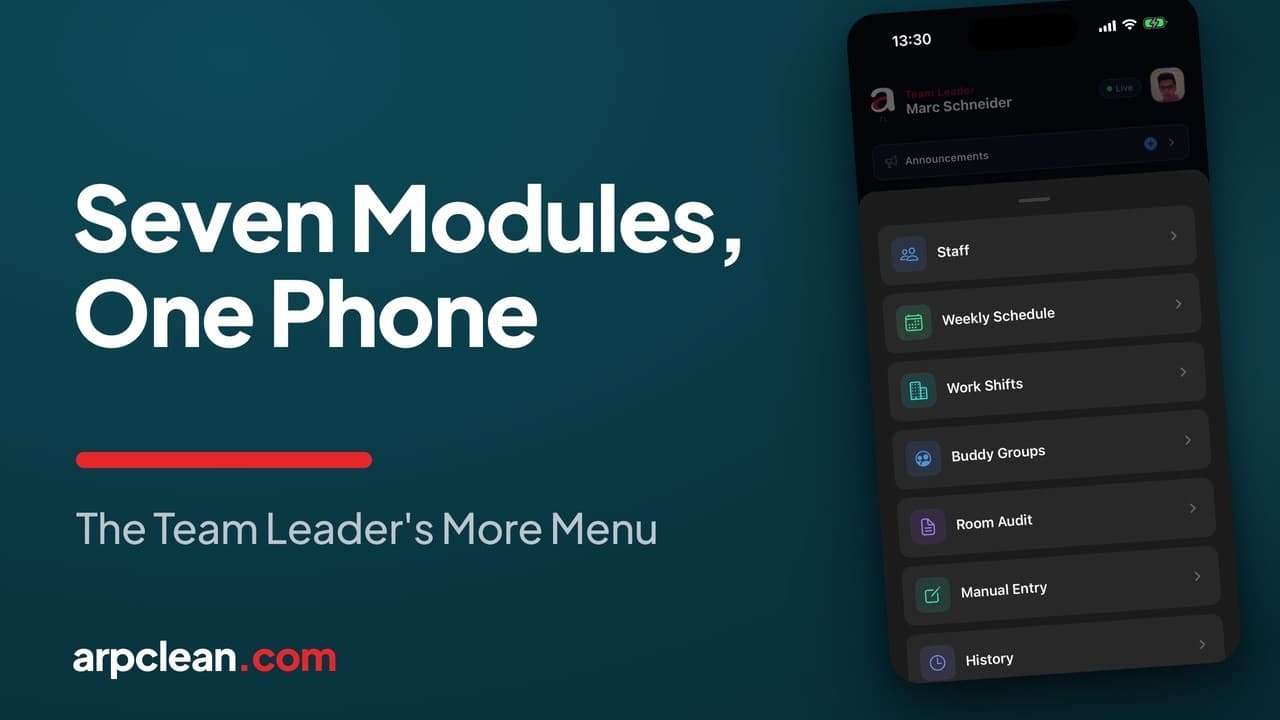
Handing out rooms is the visible part of running a cleaning team. The rest of the job is the team itself: hiring, the weekly plan, hourly shifts, pairs who clean side by side, and the trail that settles arguments about who did what. In ARPCLEAN all of this sits behind the More tab of the team leader app. Seven modules share that screen: Staff and Weekly Schedule at the top, Work Shifts and Buddy Groups in the middle, then Room Audit, Manual Entry, and finally History.
The video above walks through every module on a live hotel with a team of 25. This guide follows the same order, with the details written down so you can come back to them.
Hiring: a QR code instead of paperwork
New people are added from the Staff module, which lists team leaders and cleaners together. Tapping the plus opens an invitation built around a QR code. The role is chosen first: Service Attendants clean rooms, and a Checker may also inspect them. The new person then points their own phone at the code and types in their own name and personal details, in the form they want them recorded. By the time any paper file reaches an office, they are already on the list and can receive rooms.
Because everyone enters their own data, the team leader's part shrinks to confirming it happened. Companies that hire steadily can export the same code as a PDF poster carrying thirteen languages on one sheet and pin it to a wall; whoever scans it registers themselves and shows up on the list. The panel side of both invitation paths is covered in the company setup guide.
The weekly schedule: six states, one row per person
The Weekly Schedule module draws the week as a grid, one row per person and one cell per day. A cell holds one of six states: Working, Public Area, and Off for the everyday cases, plus Vacation, Sick, and Probation. A star marks the current day. Tapping a cell cycles the quick states, and holding it opens the full picker.
Two rules keep the plan honest. Days in the past are locked, because the schedule doubles as the record of what actually happened. And the coming week never starts from zero: a copy action fills it from the current week in a single tap, after which you only adjust who is off. Each cleaner sees the finished plan on their own phone, under My Schedule.
Hourly shifts for the rest of the team
Not everyone on the payroll cleans rooms. Dishwashers, public-area staff, and agency workers are usually paid by the hour, and the Work Shifts module carries them. A shift is defined once, with a name, a job, start and end times, and a break that is deducted on its own. People are then assigned to it day by day, one person at a time, so the card always shows who covers which weekday.
The same module closes the loop on hours. The Today view separates people still awaiting approval from those already approved. Someone without a clock record is approved at the planned time; someone who clocked in early gets the actual start and end adjusted first. Every hour that reaches payroll was confirmed on the day it was worked, by someone who was on site, which is what makes the month-end run in the billing guide an export rather than a reconstruction.
Buddy groups: one list of rooms for a pair
Some cleaners work in twos or threes, and a buddy group turns them into one unit. Rooms are assigned to the group, while the room count and the pay are split per person automatically. Creating a group is a matter of selecting the members; the number beside each name shows how many rooms that person carries today, so you can see what the pairing inherits. Disbanding sends future assignments back to individuals without touching anything already done.
Room Audit: the trail behind every room
When a hotel asks who cleaned a room, when it was finished, and who signed it off, Room Audit answers with a timeline. A checkout might show five events in order: the task arriving from the PMS in the morning, an in-room service being linked to it, the assignment by the team leader, the cleaner marking it done, and the checker passing it. A rush entry shows who raised it and at what time. Every event carries a name and a clock time, in-room services keep the same trail on a tab of their own, and the indicator at the top shows how recently the data synced.
Manual Entry: hotels without a PMS
Some hotels send a WhatsApp list instead of a task sheet, and some send nothing reliable at all. Manual Entry exists so that this work still lands in the same system as everything else. In daily mode you pick a person, add a service plan, and type a quantity for each plan. A service plan already knows the minutes it takes and what the hotel pays for it, so a manual entry feeds the invoice and the payroll exactly as an imported task would. Weekly mode does the same for seven days at once: choose the plan, choose the week, and fill one box per person per day. Recording a full week for a whole team takes a few minutes.
History: any day still has an answer
History is the read side of all of the above. Pick a date and the header row adds the day up: checkouts, stayovers, skipped rooms, do-not-disturb, and refusals, with the room count and the number of attendants beside them. Each attendant's card breaks the same day down room by room, and manual entries sit next to app tasks with a purple marker, so app work and manual work add up in one total. Skips, refusals, and manual entries never drop out of the record. When the hotel, the company, or a worker asks about a day months later, the answer is already there.
Going deeper
Watch next
Related guides
- Run the housekeeping day
- Manage housekeeping from your phone
- Assign rooms to cleaners
- Inspect rooms and record quality
- The cleaner's day on their own phone
Run your housekeeping the way this guide shows
30-day trial with every feature open. No credit card required, and without a payment method nothing is charged when it ends.
Start free trial